Background triggers
A Background app does nothing until something wakes it up. A trigger is that something: a schedule ticking over, a webhook request arriving, a new item in a feed, a message on a chat platform. Add one from the Runtime node's + button, under the TRIGGERS section of the palette.
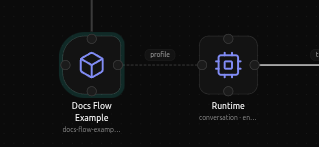
Seven kinds exist: Cron, Webhook,
RSS, Telegram, Discord, and WhatsApp,
and Connector. Each is its own node on the canvas
(kind arch.trigger.*), and each has its own page here for exactly what its
fields do. This page covers what they share.
The Channels module
Adding any trigger creates, or reuses, a single tools.modules.channels
node on canvas labeled Channels. Every trigger on the app wires into
this one node - its subtitle counts how many providers are configured
("4 providers"). You never add a Channels node directly; it appears the
first time you add a trigger and grows as you add more.
Provider and Activation
Every trigger kind splits into at least a Provider section and an Activation section, plus whatever fields are specific to that provider (a schedule for Cron, a feed URL for RSS, a bot token for Telegram). The two shared sections work the same way everywhere:
Provider always has an Adapter field (locked to the trigger's own kind - "nothing to choose here" for most of them) and an Enabled checkbox. A notice above them explains, for that specific provider, how the underlying delivery mechanism actually works - whether it polls or is pushed to, and how often.
Activation decides what happens the moment the trigger fires:
- Agent (required) - which agent handles this event.
- Message (optional) - the template sent to the agent as the turn's
input. Every provider documents its own template variables here, and they
are not interchangeable: Telegram, Discord, and WhatsApp give you
{{event.message}}for the chat text; Cron and RSS do not, because there is no message to extract one from - trying to use{{event.message}}on those resolves to nothing. - Session -
per_event(default almost everywhere) gives every firing its own fresh conversation;sharedcontinues the same ongoing one. - Reply -
autosends the agent's answer back out through the trigger's own channel where that makes sense (a chat reply on Telegram);none(the default for triggers that have nowhere to reply to, like RSS) just runs the agent without sending anything back.
Armed vs installed
Wiring a trigger into an app doesn't do anything by itself in the editor - it has to be armed. Use Install for Test to arm it for real: the same cron tick, the same public webhook path that a published app would use. Publishing later just relabels the same armed provider, dropping the "debug" badge - it doesn't rearm anything or change how it runs. The Armed tab at the bottom of the canvas lists every active provider with its computed values - a cron trigger's next run time, a webhook's full address - and a Disarm button per provider.