Cron trigger
Runs the app on a schedule, unattended, on the server's clock. See Background triggers for what this node shares with every other trigger kind.
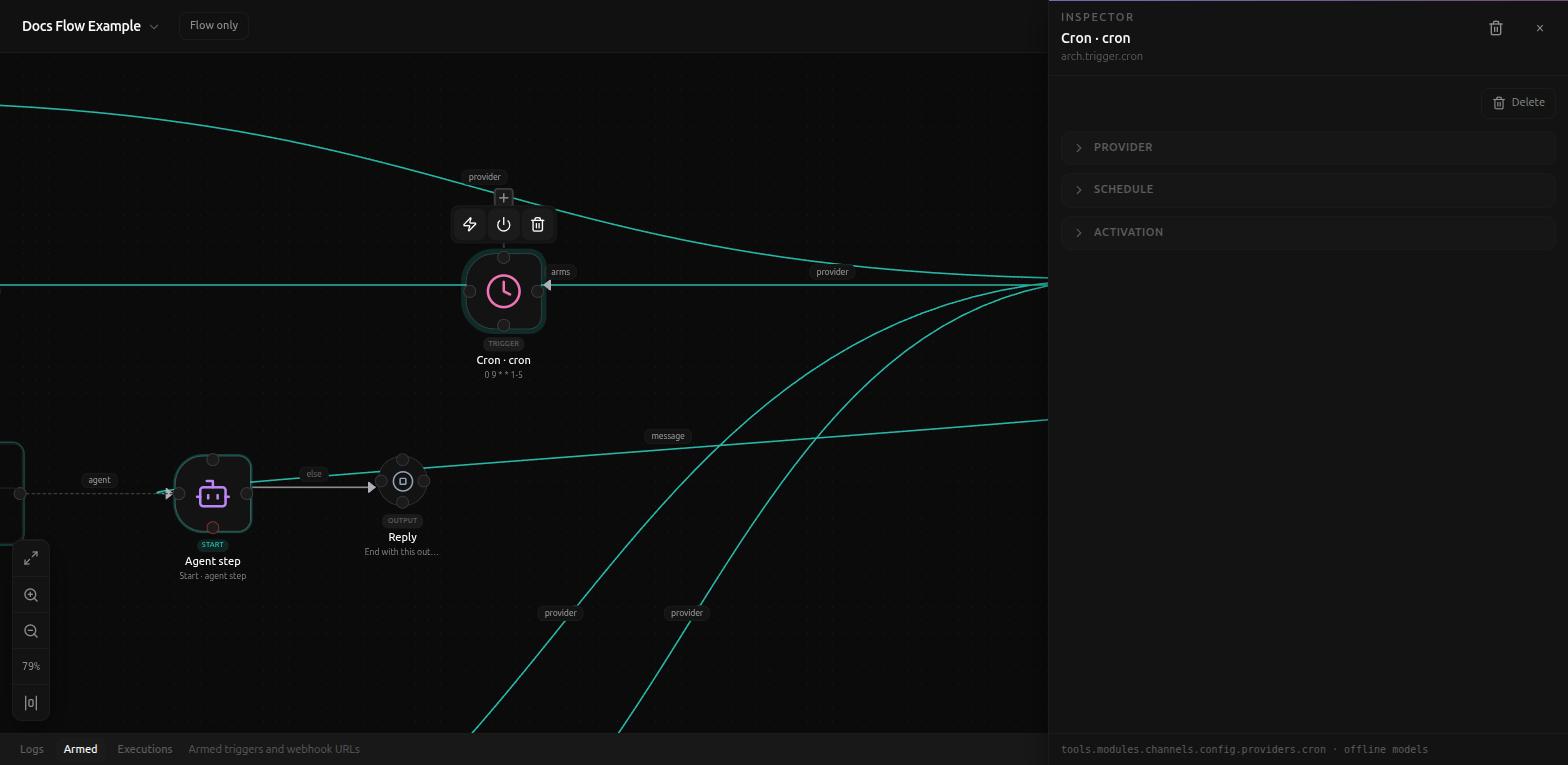
Schedule
The Schedule section is a visual builder, not a raw cron string field. Five tabs cover the ways people actually describe a schedule:
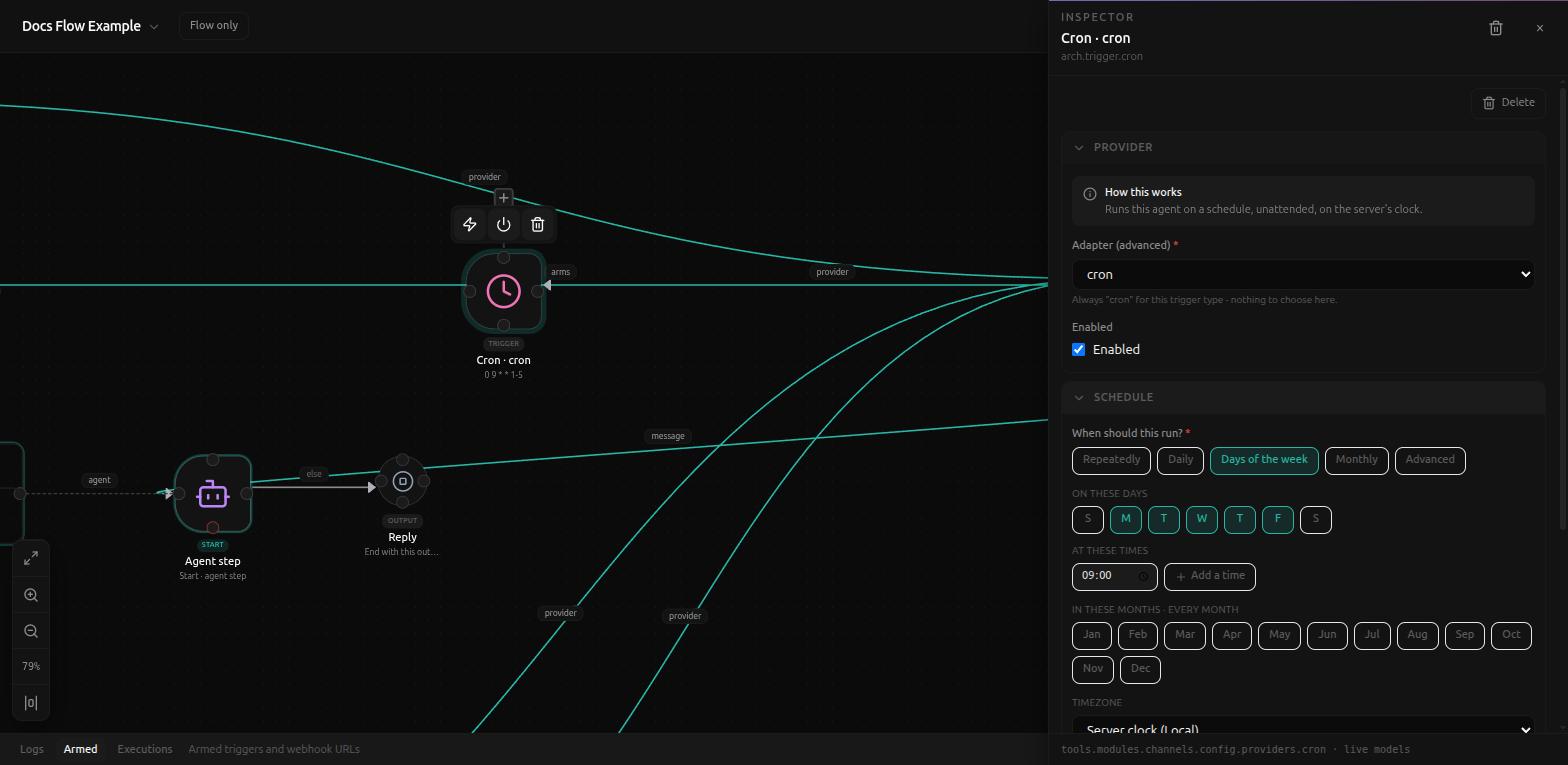
- Repeatedly - every N minutes/hours.
- Daily - one or more times a day.
- Days of the week - pick which days, what times, and optionally restrict to certain months.
- Monthly - specific day(s) of the month.
- Advanced - the raw five-field cron string, for anything the other tabs can't express.
Whichever tab is active, a Timezone picker (default "Server clock (Local)", with a one-click "Use mine" button for your own) and a live preview box sit below it, showing the next few actual run times and the resulting cron expression:
Monday to Friday at 09:00
NEXT RUNS - LOCAL - SHOWN IN YOUR TIME
ven. 28 août, 09:00
lun. 31 août, 09:00
mar. 01 sept., 09:00
0 9 * * 1-5
Advanced tab
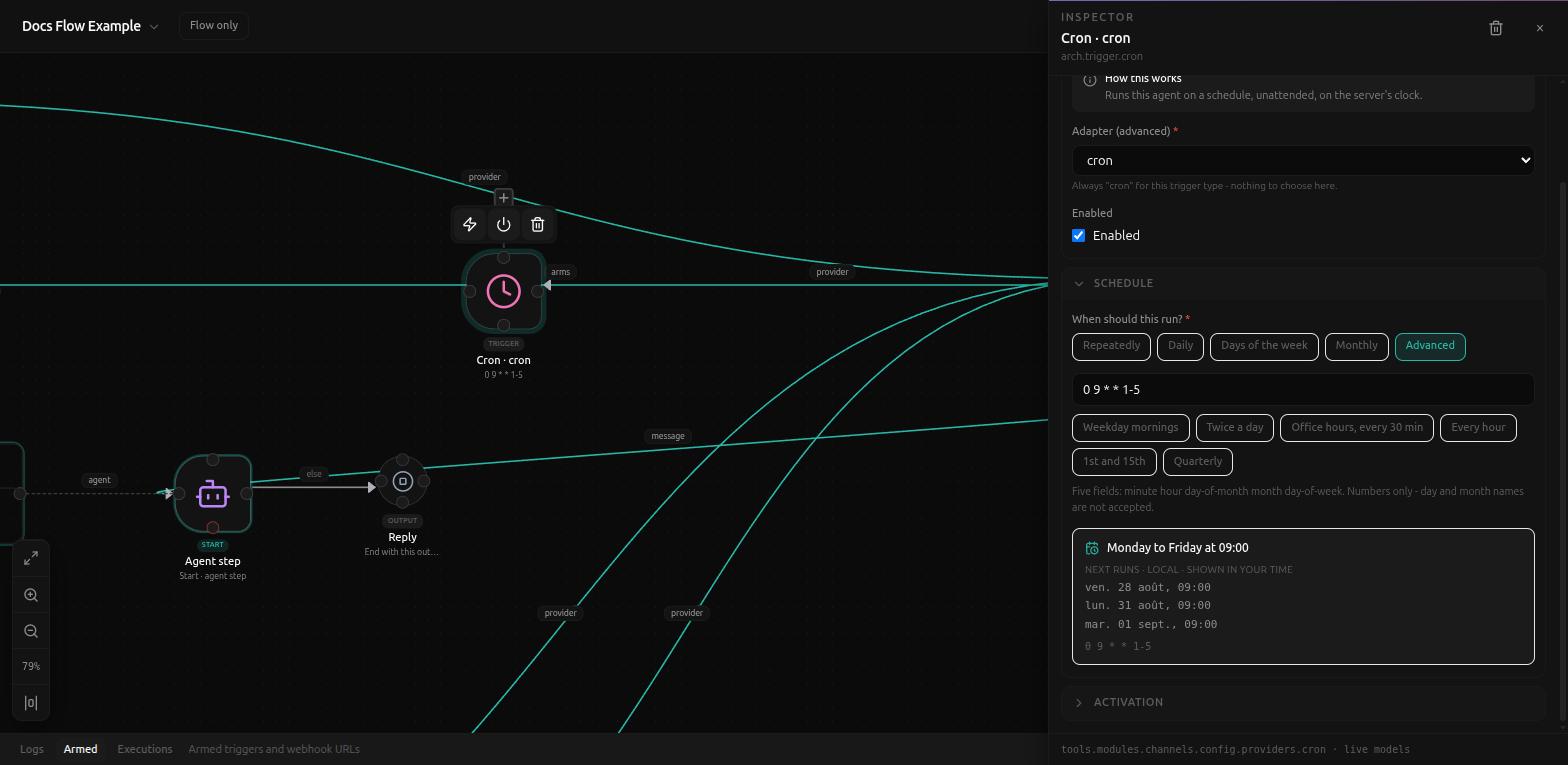
The Advanced tab exposes the same cron string as plain text, with quick
presets (Weekday mornings, Twice a day, Office hours every 30 min, Every
hour, 1st and 15th, Quarterly) and a format reminder: "Five fields: minute
hour day-of-month month day-of-week. Numbers only - day and month names are
not accepted." Because the other four tabs build this string for you
through checkboxes and pickers, the common quoting mistakes that come from
hand-editing YAML (an unquoted */5 * * * * being parsed as something
else) simply don't happen through Studio - they're only reachable if an
agent edits app.yaml's schedule field directly, bypassing this UI.
Activation
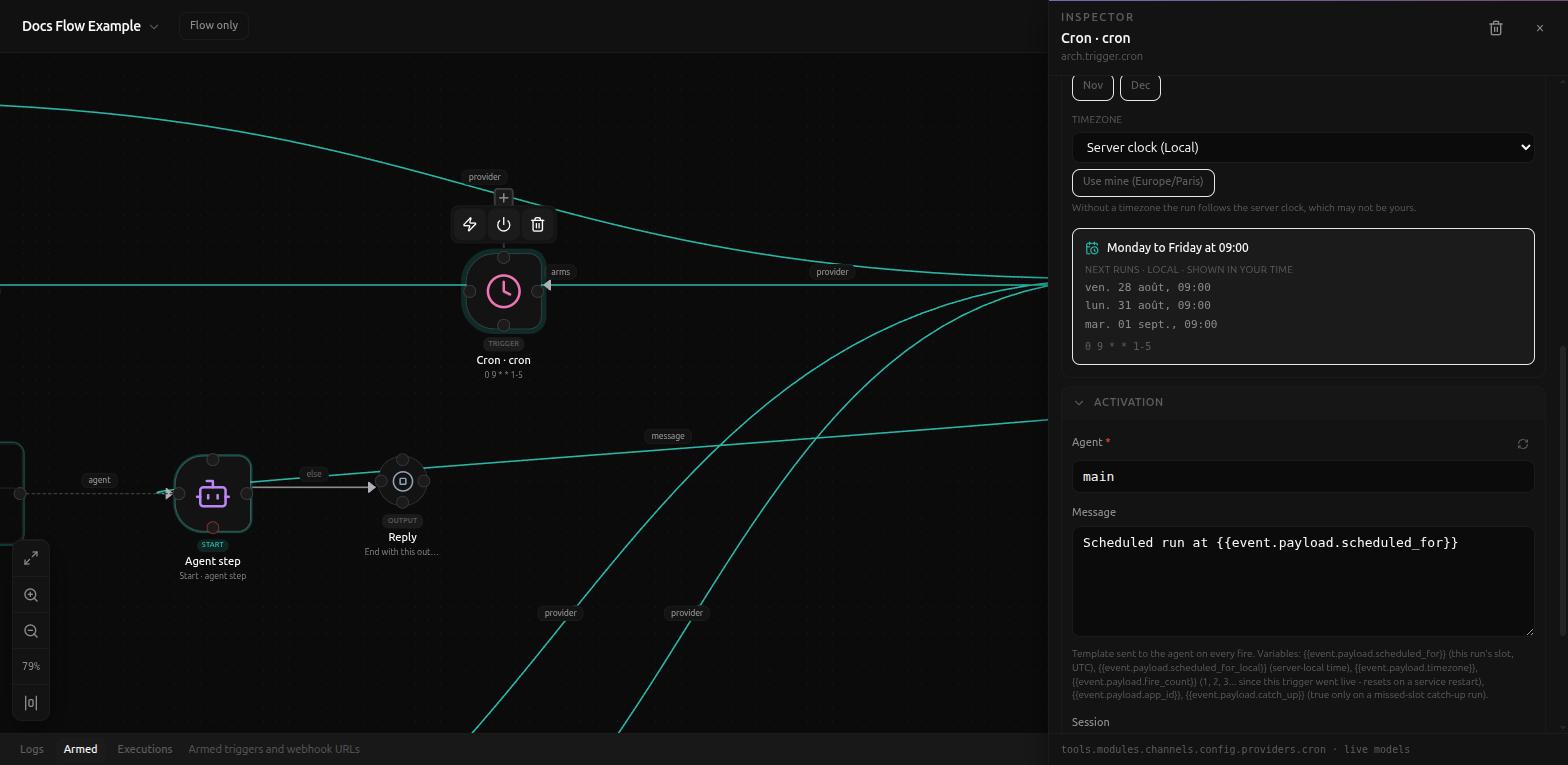
Same Agent/Session/Reply fields as every trigger (see
Background triggers), but
Cron's own Message default is different from the chat-platform
triggers - there's no incoming message to relay, so it defaults to
Scheduled run at {{event.payload.scheduled_for}}. The full set of
variables available here:
{{event.payload.scheduled_for}}- this run's slot, in UTC.{{event.payload.scheduled_for_local}}- the same, in server-local time.{{event.payload.timezone}}{{event.payload.fire_count}}- 1, 2, 3... since this trigger went live; resets on a service restart.{{event.payload.app_id}}{{event.payload.catch_up}}-trueonly on a missed-slot catch-up run.