Connector trigger
Polls one of your connected connectors (Airtable, Gmail, Slack, GitHub, and
anything else set up under Settings → Connectors) for new events. See
Background triggers for what this node shares with
every other trigger kind. Kind is arch.trigger.connector.
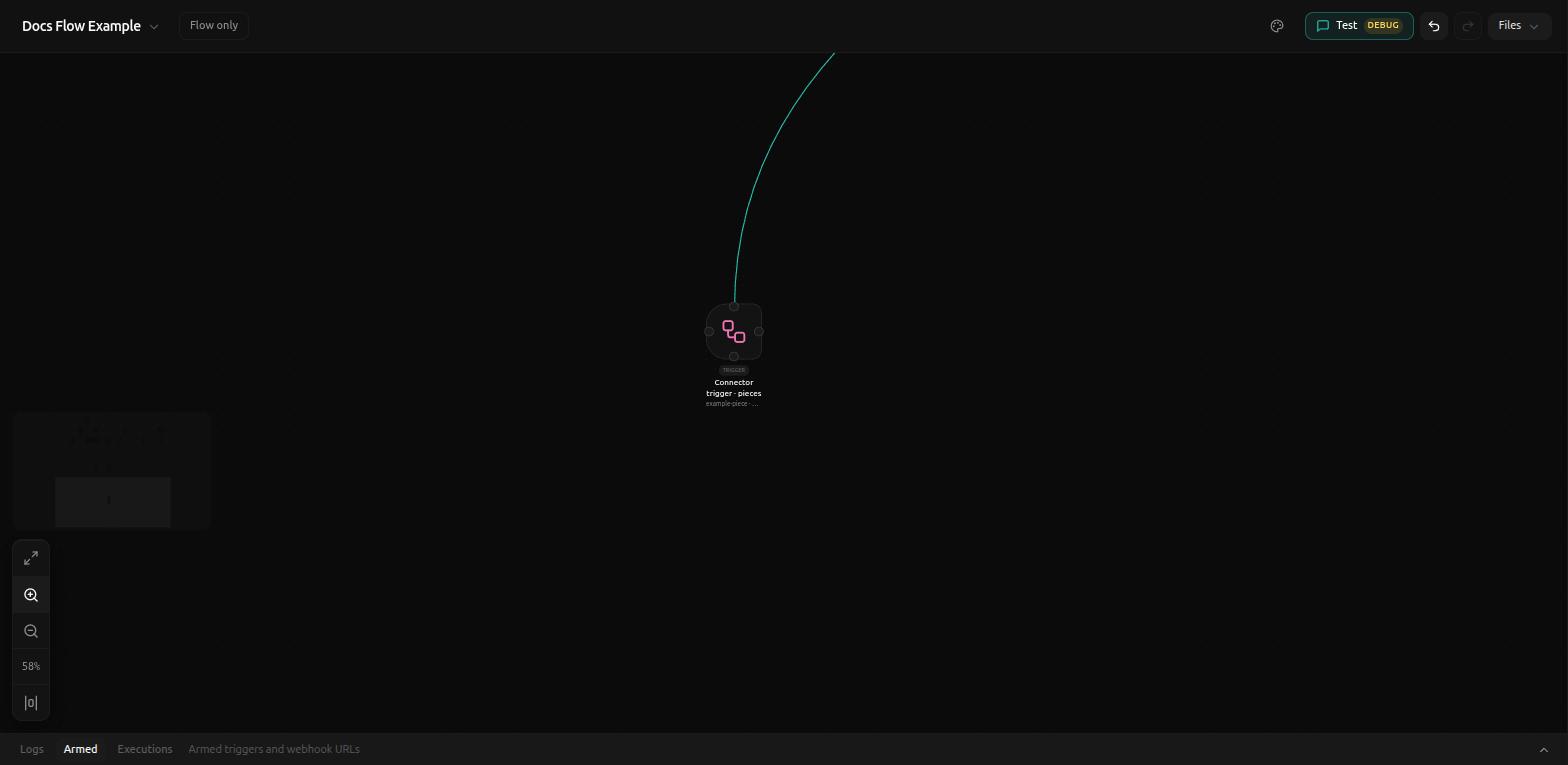
Always polling
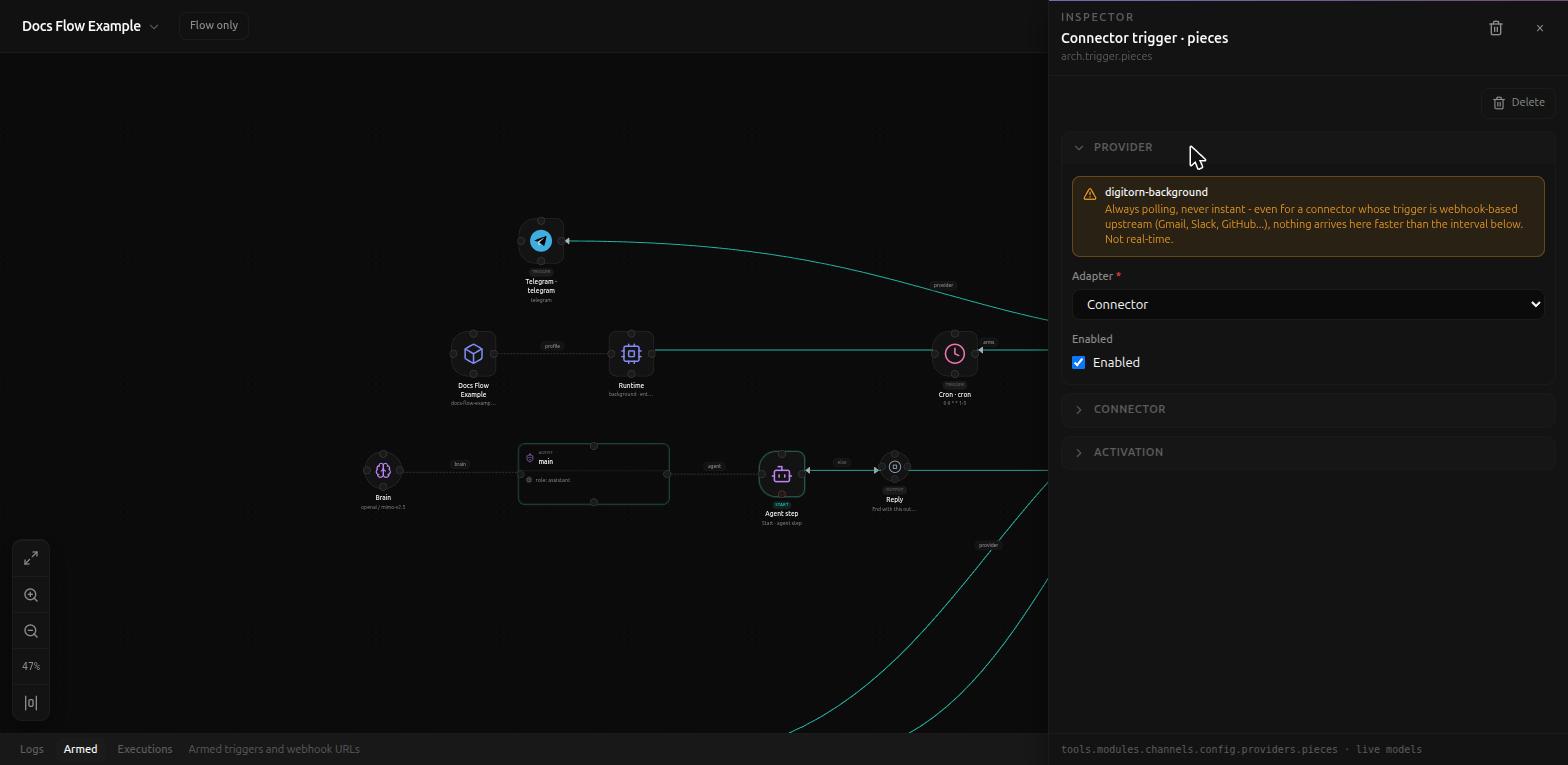
The Provider notice is a warning, not just an info box, and it matters: "Always polling, never instant - even for a connector whose trigger is webhook-based upstream (Gmail, Slack, GitHub...), nothing arrives here faster than the interval below. Not real-time." A connector whose own integration with, say, GitHub is webhook-driven does not make this trigger push-based - Digitorn still polls it on the interval you set.
Connector
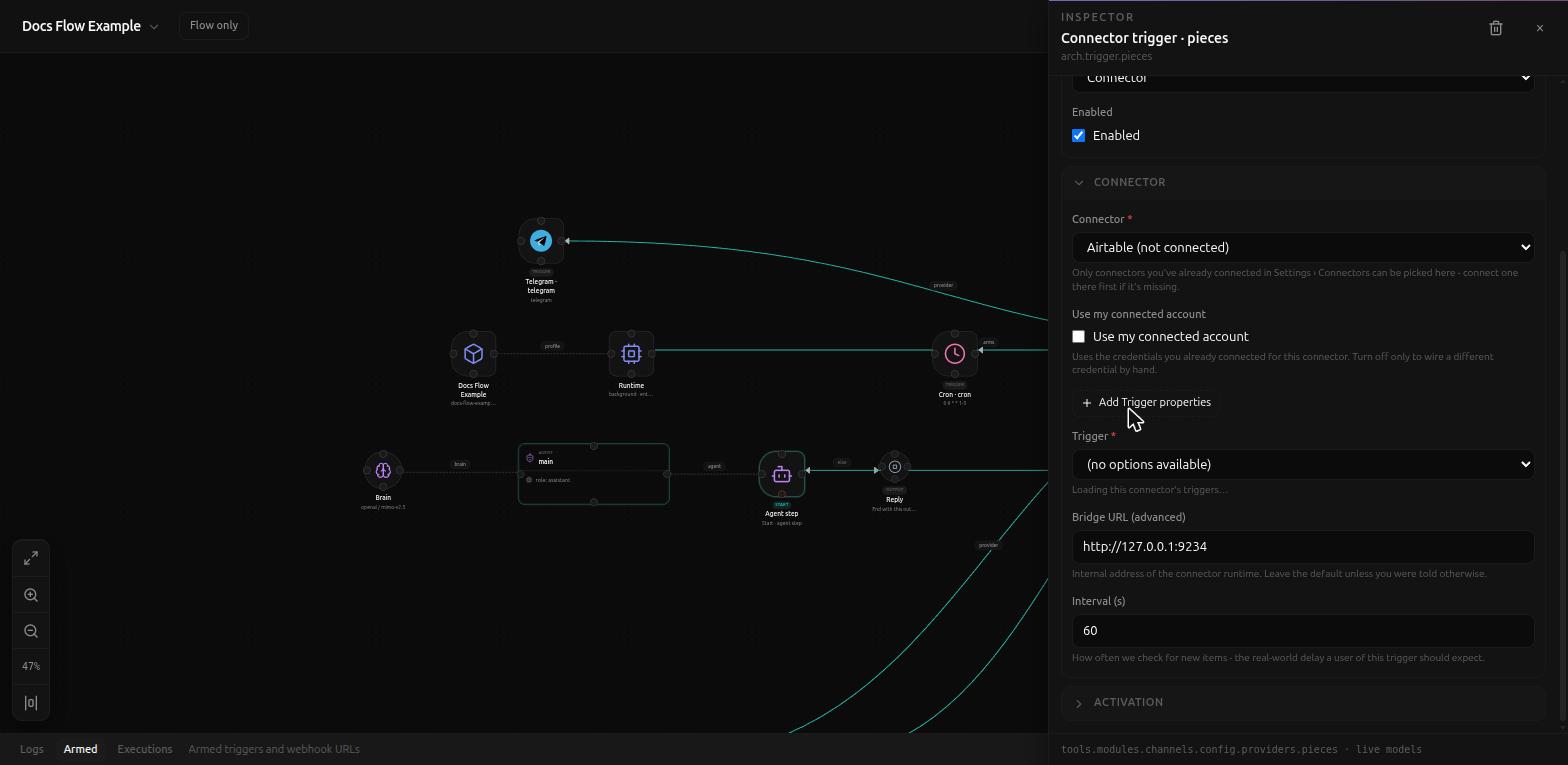
- Connector (required) - a dropdown of connectors you've already connected in Settings → Connectors; nothing appears here for one you haven't set up yet.
- Use my connected account - uses the credentials already connected for this connector. Turned off only to wire a different credential by hand.
- Trigger (required) - which event on that connector fires this node (e.g. "New record" on Airtable). This list loads live once a connector is picked; before that, or while it's still loading, it reads "(no options available)" / "Loading this connector's triggers...".
- Bridge URL (advanced) - internal address of the connector runtime,
default
http://127.0.0.1:9234. Leave it alone unless told otherwise. - Interval (s) (default
60) - how often new items are checked for; this is the real-world delay a user of this trigger should expect.
Activation
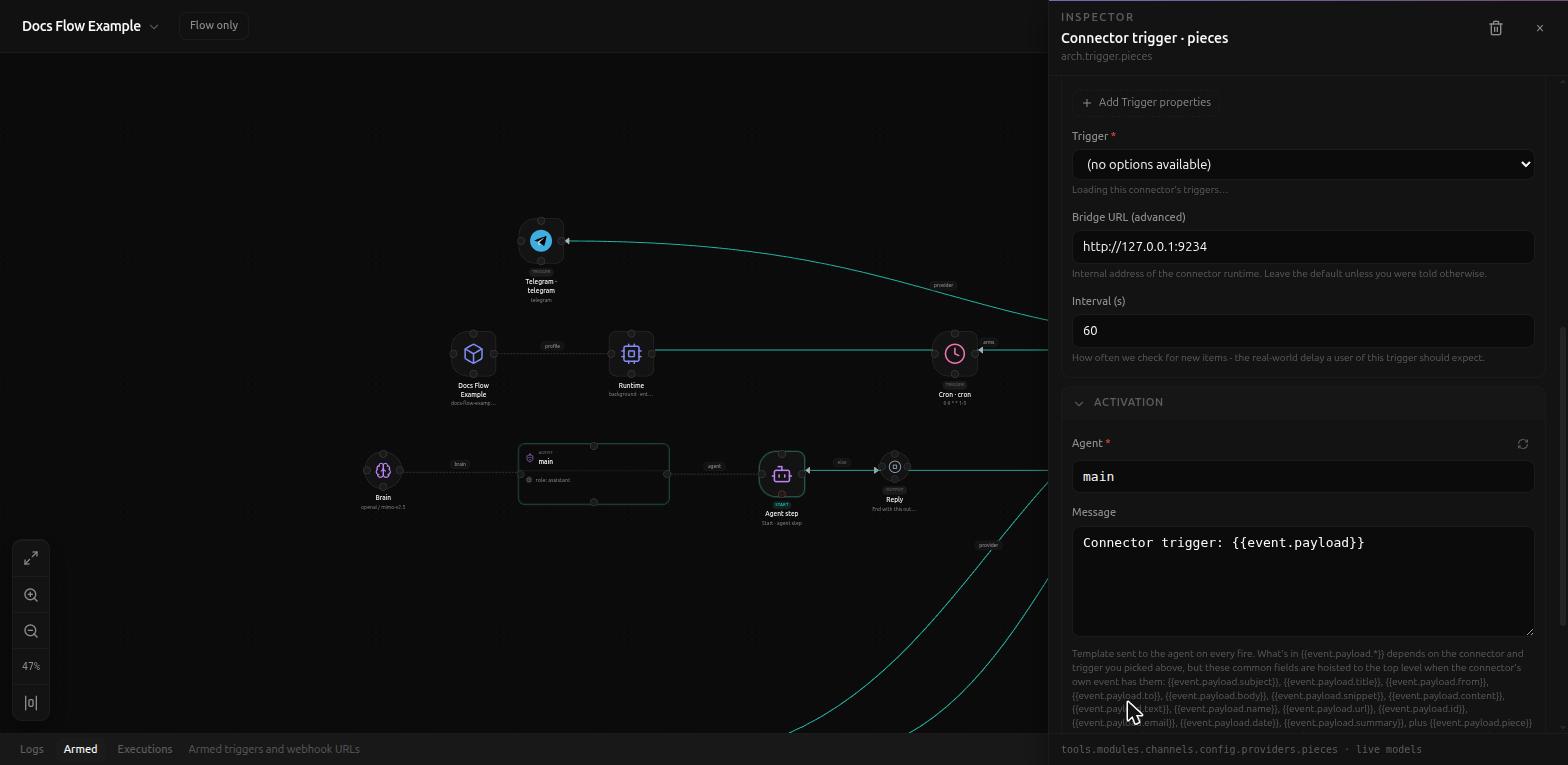
Same Agent/Session/Reply fields as every trigger (see
Background triggers).
Message defaults to Connector trigger: {{event.payload}}, and its help
text is the most useful reference on this page: "What's in
{{event.payload.*}} depends on the connector and trigger you picked
above, but these common fields are hoisted to the top level when the
connector's own event has them: {{event.payload.subject}},
{{event.payload.title}}, {{event.payload.from}}, {{event.payload.to}},
{{event.payload.body}}, {{event.payload.snippet}},
{{event.payload.content}}, {{event.payload.text}},
{{event.payload.name}}, {{event.payload.url}}, {{event.payload.id}},
{{event.payload.email}}, {{event.payload.date}},
{{event.payload.summary}}, plus {{event.payload.piece}}" - one shared
vocabulary across every connector, rather than a different set of field
names to memorize per integration.
Related
- Background triggers
- RSS trigger - also interval-based polling, but against a plain feed URL instead of a connected account